
Author: huntgrav

  • AI Search for Local Business: Getting Found in Texoma

    AI Search for Local Business: Getting Found in Texoma

    A few years ago, someone in Sherman with a leaking water heater Googled “plumber near me” and called whoever showed up first. Plenty of people still do. But a growing number type the question into ChatGPT, Gemini or Google’s AI Mode instead: “Who’s a good HVAC company in Denison?” They get back a short answer naming two or three businesses. That’s what AI search looks like for a local business, and if your name isn’t in that answer, you never got the chance to compete.

    This already happens a lot. BrightLocal’s 2026 Local Consumer Review Survey found 45% of consumers now use ChatGPT and similar tools to get local business recommendations, up from 6% a year earlier. On Google itself, a Pew Research Center study found that when an AI summary appeared at the top of the results, people clicked a regular link about half as often (8% of visits versus 15%). The answer is doing more of the work and the list of links is doing less.

    Getting into those answers isn’t magic, though. And from what we see, most Texoma businesses haven’t started working on it.

    How AI search picks a local business to recommend

    AI tools don’t have favorite roofers. When someone asks for “the best roofing company in Sherman,” the tool pulls from public information you mostly control: your Google Business Profile, your website, your reviews, directory listings and mentions of your business around the web. It blends all of that into a few sentences.

    So the groundwork is the same as local SEO. Some signals just count for more. Three stand out:

    • Consistency. Your business name, address, phone number and services should match everywhere they appear. These tools cross-check sources, and conflicting details make you look less reliable.
    • Reviews that say something. AI reads the text, not just the stars. “Fixed our AC in one visit, fair price, showed up on time” tells it exactly what you’re good at. Fifty reviews that say “Great!” tell it almost nothing.
    • Plain, specific website copy. “We proudly serve the community with quality solutions” could describe a bank or a bakery. “We repair and replace home HVAC systems in Sherman, Denison and Pottsboro” can’t be misread.

    If you want the longer version of how this differs from classic SEO, we covered it in GEO vs SEO. Our AI search optimization page explains how we handle it for clients.

    Make your website answer questions

    These tools are built to answer questions, so they favor pages that answer them directly. Read your main service page and ask: if a customer only saw this one page, would they know what we do, where we do it, roughly what it costs, and why they’d pick us?

    A few practical fixes. Add a short FAQ to each key service page using the questions you get on the phone every week, written the way customers ask them. Name your towns (Sherman, Denison, Howe, Van Alstyne, Pottsboro) instead of “the surrounding area.” If you cover Grayson County, say Grayson County. An AI can’t work out your service area from your logo.

    Dental office front desk with a laptop showing abstract blocks and a thin red light line running from the screen toward the window

    Treat your Google Business Profile as source material

    Google’s AI answers for local searches lean on Business Profile data, and other assistants read it too. Your categories, services list, attributes, hours and photos are structured information a machine can read without guessing. Our guide to optimizing your Google Business Profile in 2026 walks through each field.

    One change worth knowing about: Google retired the Q&A section on Business Profiles in late 2025. Questions people used to post there now get answered by Google’s AI, which pulls from your profile, your reviews and your website. That makes your business description, your services list and your site’s FAQ more important than they were, because they’re now where those answers come from. Fill the description with specifics: years in business, licensing, what you specialize in, which towns you cover. And keep posting updates. A profile that looks abandoned gives the AI less to work with.

    Ask for reviews that tell a story

    Swap “Would you leave us a review?” for “Would you mind mentioning what we helped you with?” That small change turns a star rating into a description of your work. A review that names the service, the town and the result is about the most useful thing a local business can collect for AI visibility, and it’s free. There’s more on building a steady review habit in why online reviews are the new word of mouth.

    Reply to every review, too. “Glad we could get your water heater replaced same-day here in Denison!” gives the AI more to go on than “Thanks!”

    Get mentioned in places AI trusts

    Third-party mentions carry weight: local news sites, chamber directories, trade associations, local blogs, league and school sponsor pages. A mention in the Herald Democrat or a listing with the Sherman or Denison chamber counts twice. It helps your regular local rankings, and it gives an AI a second source that agrees you exist and do what you say.

    Sponsor a little league team and get your name on the league site. Join the chamber. Offer a local reporter a comment when something in your trade makes the news. None of this is new advice. AI search just raises the payoff.

    Check where you stand today

    Open ChatGPT, Gemini and Google’s AI Mode and ask what your customers would ask: “best [your service] in Sherman TX,” “who should I call for [your service] in Denison?” Use a temporary chat or a logged-out browser so your own history doesn’t color the results, and try a few phrasings, since the answers shift.

    If you show up, read what it says about you and make sure it’s right. Wrong hours or a service you dropped two years ago usually trace back to an old listing somewhere. If you don’t show up, look at who does and figure out what they have that you don’t. More detailed reviews? Clearer service pages? Directory listings you never claimed? That list is your to-do list, and the first round of questions takes about ten minutes.


  • How Much Does a Website Cost for a Small Business in Texas?

    How Much Does a Website Cost for a Small Business in Texas?

    How much does a website cost for a small business? Ask five web designers and you’ll get five answers, usually right after the words “it depends.” It does depend, but not on anything mysterious. There are three ways to pay for a small business website in Texas, and each one moves the money and the work to a different place.

    Here’s how we lay it out for a Sherman or Denison owner sitting across the table from us.

    How much does a website cost? Three ways to pay

    Build it yourself

    Wix, Squarespace and GoDaddy all sell monthly plans. Squarespace’s website plans currently run $19 to $99 a month on annual billing, and Forbes Advisor puts a typical do-it-yourself build at $0 to $450 upfront.

    Those numbers are real. What they leave out is you. You write every word, pick every photo, sort out the search settings and fix whatever breaks. Most DIY sites we audit around Texoma look fine and don’t show up when someone searches for the service. That’s rarely the platform’s fault. Nobody did the local search work, because nobody had time.

    DIY makes sense when you’re brand new, cash is tight and you’d honestly enjoy the project. If you’d rather be on a job, it’s the priciest option here once you count your own hours.

    Pay someone to build it

    A designer or agency builds a custom site around your services and your market, and you pay upfront. Forbes Advisor lists professional design at $1,500 and up, and “and up” is carrying a lot of weight in that phrase. For a local service business that needs a page for each main service and each town it covers, quotes in the several-thousand-dollar range are normal. When two quotes are far apart, you’re usually comparing two different products.

    You own the finished custom website. You also own everything that comes after launch. Our own version is a one-time build starting at $4,000, quoted up front by the size of the site, that includes professional video, Google Business Profile setup and three months of marketing, so the site has help getting found once it’s live.

    Lease it

    A lease spreads the build across a monthly payment and bundles in the upkeep. Our website lease is $500 a month with nothing upfront, and it covers design, hosting, security, maintenance and ongoing updates. No big check to start, and no surprise invoice when something needs fixing.

    Think of it like leasing a work truck. Over enough years you’ll pay more than a one-time build would cost, and part of what you’re paying for is never having to think about the site. For owners who’d rather keep cash in the business, that’s the whole appeal. For owners who like owning things outright, it isn’t, and that’s fine.

    Why website quotes vary so much

    Two quotes can be thousands of dollars apart because they aren’t pricing the same job. The number moves with:

    • How many pages you need. Each service and city page takes real work, and each one is another chance to show up in search.
    • Custom design versus a template with your logo dropped in.
    • Who writes the words. Copy that gets people to pick up the phone takes time.
    • Whether local search setup is included or billed later as “extra.”
    • Photos and video of your actual crew and work, which someone has to go shoot.
    • Who maintains the site after launch, and how fast they answer when you call.

    When you compare quotes, ask every designer the same question: what happens the day after it goes live?

    A pickup truck on a farm road with a long thin red line of light trailing behind it

    The costs that show up after launch

    A “one-time” website keeps costing money. Forbes Advisor estimates hosting and apps at $15 to $150 a month for a typical small business site, and the domain name renews every year. On top of that come software and security updates, backups, and the small edits that pile up: new hours, a new service, a new photo, a price change.

    If you can make those edits yourself, great. If you can’t, you’re either paying someone by the hour or living with an outdated site. We see a lot of the second one. The site was fine when it launched, and nobody has touched it since.

    So add it up over three years before you decide. A cheap upfront build with no plan for upkeep tends to cost more than it looked like, in fees and in calls that never came.

    What should a Sherman or Denison business pay?

    Start with one question: how many new customers a month does the site need to bring in to pay for itself? For a roofer or an HVAC company with big tickets, the answer is often one. For a business with $40 tickets, it’s a lot more, and a lighter setup might be the smarter call.

    If you’re just getting started and every dollar is spoken for, a DIY site gets you on the map. The lease is there when you want it done properly without the upfront hit.

    Established companies with some cash on hand and someone who’ll keep the site current often do better owning a custom build. Budget the upkeep before you sign, not after.

    And if you already have a site that isn’t bringing in work, get it looked at before you replace it. Sometimes the fix is a few service pages and a cleaned-up Google Business Profile, not a new website.

    Common questions

    How much does a website cost per month?

    A DIY plan on Squarespace runs $19 to $99 a month billed annually. A professionally built site you own still has monthly hosting and maintenance costs. Our all-inclusive lease is $500 a month, and our one-time build starts at $4,000.

    Why not just use a Facebook page?

    You don’t own it, it doesn’t do much when people search Google for your service, and your reach is up to Facebook’s algorithm. We wrote a whole post on why your Facebook page is not a website.

    Does my website affect whether AI tools recommend me?

    It does. ChatGPT, Gemini and Google’s AI Overviews pull from websites when someone asks who does a job nearby. Clear service and location pages give them something to cite. A one-page site or a Facebook page usually gives them very little.

  • Summer Marketing in Texoma: 5 Ways to Get Ready Early

    Summer Marketing in Texoma: 5 Ways to Get Ready Early

    Summer marketing in Texoma starts before it gets hot. By the time the lake is packed on weekends and every air conditioner in Grayson County is running all afternoon, the calls go to businesses people already found in May.

    Most owners don’t plan for summer. They react to it. They’re slammed, behind on callbacks and still showing spring hours on Google. Here are five things worth doing before the rush, in about the order we’d tackle them.

    1. Update your website for summer services and hours

    Start with the page most people land on. If your homepage still leads with furnace checks, change it. An HVAC company should put AC tune-ups up top. A pool service should lead with openings and weekly maintenance, a lawn crew with mowing routes and irrigation repair.

    Then do the boring part, which matters more. Check your hours, your phone number and every form on the site. Fill out your own contact form and make sure it lands in an inbox someone reads. A broken form in July means jobs you lose and never hear about.

    Swap in a few current photos while you’re in there. A shot of your crew on a job last week tells people you’re busy and still around, which is exactly what they’re trying to figure out.

    2. Get your Google Business Profile ready for summer

    For a lot of local searches, your Google Business Profile shows up before your website does, and plenty of people call straight from it. Set special hours for the Fourth of July and any weeks you’ll run long days. Add seasonal services to the services list. Post an update or offer every week or two so the profile doesn’t look abandoned.

    And ask for reviews while the work is fresh. A customer whose AC came back on during a June heat wave is as happy as they’ll ever be with you. That’s the day to text them the review link, not three weeks later. If you’d rather hand the profile off, that’s what our Google Business Profile management covers.

    A new residential street with moving boxes on a porch and a thin red line of light running along the curb toward a small brick storefront

    3. Get in front of people moving to Texoma

    Texas Instruments started production at its newest 300mm fab in Sherman in December 2025. TI says the Sherman site, planned for up to four connected fabs, will support as many as 3,000 direct jobs. Some of those people are already here. More are coming.

    New residents don’t have a plumber, a dentist or a lawn guy yet. They search for one on a phone, in a town they barely know, and pick from whoever looks established. A real website, a filled-out Google profile and a decent stack of reviews win that customer, sometimes for years.

    Make sure your site names every town you serve, including the newer neighborhoods on the edges of Sherman and Denison. A short page for newcomers is easy to write and genuinely useful: how scheduling works, what first-time service costs, which areas you cover. We wrote more about what the TI expansion means for service businesses.

    4. Send a summer offer to your email list

    If you have a list of past customers, summer is when it earns its keep. Tie the offer to the season: an AC check before the first 100-degree week, a pest treatment ahead of peak bug season, a deep clean before the Fourth of July guests show up.

    One email isn’t a campaign. Send three or four over two or three weeks:

    1. Announce the offer and who it’s for.
    2. Show a real job that fits the offer, with a photo.
    3. Remind people the schedule is filling up, if it actually is.
    4. Last call, a day or two before the deadline.

    Past customers should get a different note than people who only ever asked for a quote. A “welcome back” for the first group, a reason to finally book for the second. If you haven’t started a list, our beginner’s guide to email marketing covers where to begin.

    5. Post from real summer events

    Texoma doesn’t slow down between Memorial Day and Labor Day. Fireworks, weekends at the lake, Friday nights downtown, ball tournaments. If you sponsor something, work a booth or just have a crew out in the heat, film it. Thirty seconds on a phone is plenty.

    Plain, short video of real people doing real work tends to beat polished graphics for local businesses. Nobody expects a TV spot from their pest control company. They want to see who’s showing up at the door. Our post on short-form video for local businesses goes into what to shoot.

    If you already know you won’t have time to post in July, line up help now. A page that goes quiet in your busiest month tells people the wrong story.

    The one-weekend version of summer marketing in Texoma

    Fix your Google Business Profile hours and services first. It’s free, it takes about an hour, and it’s where a lot of summer customers decide whether to call. Then the website. Everything else can wait until you’ve done those two.

  • Email Marketing for Local Business: A Beginner’s Guide

    Email Marketing for Local Business: A Beginner’s Guide

    Email marketing for a local business sounds like something for online stores and national brands. It isn’t. If you’ve done work for a few hundred people around Sherman or Denison, you already have a list of people who trust you, and most businesses never write to them again.

    Then the water heater dies two years later. The customer can’t remember who came out last time, so they call whoever shows up first on Google.

    Why email marketing works for a local business

    You own the list. Facebook can change what your followers see overnight, and Google can reshuffle the map results any week it wants. An email address someone gave you with permission stays yours, and you decide when they hear from you.

    It also pays. In Litmus’s 2025 State of Email survey, 30% of companies said they get $36 to $50 back for every dollar they spend on email, and another 35% reported $10 to $36. Those are mostly bigger marketing teams, so don’t build your budget on it. But for a local company whose main cost is an hour of writing a month, the return doesn’t need to be anywhere near that good to be worth doing.

    Most local businesses skip email for three plain reasons. They never collected addresses, they don’t know what to send, and they’re afraid of bugging people. All three are fixable.

    Start with the list you already have

    Before you build anything, look at what’s already sitting around. Invoices, your booking or scheduling software, old quote requests, the sign-in sheet at the front desk. Past customers who gave you an email for a quote or a receipt are your best list, as long as they’d expect to hear from you.

    Don’t email people who never did business with you and never asked, and don’t buy a list. Those messages land in spam and drag down everything else you send.

    From here on, ask every customer. “Want us to email you when it’s time for your next service?” works a lot better than “Join our newsletter.”

    Give new people a reason to sign up

    For people who haven’t hired you yet, you need something they want in exchange for an email address. It should answer a question they’re already asking:

    • A seasonal checklist. An HVAC company’s pre-summer checklist, or a roofer’s guide to what to look for after a hailstorm.
    • A free estimate, inspection or assessment.
    • Service reminders. For any business with repeat work, this is the easiest yes you’ll get.
    • A first-visit offer, paired with one of the above. A discount on its own mostly attracts bargain hunters.

    Put the signup where people already are: your service pages, your Google Business Profile, your invoices and receipts, the counter at your shop. A short form on the pages that get traffic beats one form buried on the contact page. If your site can’t do that without a fight, it’s worth fixing the website first.

    A corkboard of blank paper squares pinned in a calendar grid in a small shop office, with one square glowing red

    What to send

    Most local businesses need three kinds of email, and one of them runs on its own.

    A welcome series

    When someone signs up, send a short automated series over the first couple of weeks. The first email delivers whatever you promised. The next one or two share something useful, show a real job and tell them who’s behind the business. The last one asks for the work. You set it up once and it runs for every new subscriber.

    A regular newsletter

    Once a month is plenty for most service businesses. Keep it short: one useful tip, one thing happening at the business, one clear way to book. A pest control company might write about what’s crawling around North Texas yards this month. A dental office might remind patients to use their insurance benefits before the year runs out. Nobody minds getting that kind of email.

    Seasonal offers

    A few times a year, send a clear offer with a real deadline. AC tune-ups before summer, gutter cleaning in the fall, gift cards before the holidays. Our summer marketing checklist has a simple four-email sequence you can copy. Don’t fake urgency, though. If every email says “last chance,” people stop believing any of them.

    How often should you send? Pick a schedule you’ll actually keep. One email a month for a year beats four in January and nothing after. Some people will unsubscribe. That’s normal, and the ones who leave weren’t going to call anyway.

    Subject lines that get opened

    The subject line decides whether anyone reads the rest. For local businesses, plain and specific usually wins. “Your AC tune-up is due” beats “Spring newsletter” every time. Questions work when they’re ones a customer would really ask, like “Is that noise in your attic squirrels?”

    Keep it short, since phones cut off long subject lines. And test once in a while. Most email tools let you send two versions of a subject line to small slices of your list and then send the winner to everyone else.

    The rules you have to follow

    Commercial email in the US falls under the CAN-SPAM Act, and the FTC’s compliance guide is short and readable. The basics: no misleading subject lines or sender names, include a valid physical mailing address, give people a clear way to opt out, and honor opt-outs within 10 business days.

    Gmail and Yahoo also got stricter with senders in 2024, and mail that isn’t authenticated is much more likely to land in spam. Your email platform will walk you through connecting your domain with settings called SPF, DKIM and DMARC. It’s a one-time chore. Do it before your first send.

    Tools for email marketing as a local business

    You don’t need expensive software. Mailchimp, Constant Contact, MailerLite and Kit (formerly ConvertKit) all have free or low-cost starter plans. The limits on those plans change often, so check current pricing before you commit. Whatever you pick should have signup forms you can put on your website, automation for the welcome series, and simple reports on who opened and clicked.

    If you’d rather not be the one writing and sending, we run email marketing for local businesses. Either way, the first email is the hard one. Send it to people who already hired you once, keep it short, sign it with your name, and see who writes back.

  • Short-Form Video for Local Business: What to Film and Why

    Short-Form Video for Local Business: What to Film and Why

    Short-form video for a local business sounds like a job for a 22-year-old with a ring light. It isn’t. The clips that work for plumbers, roofers and salons around Sherman and Denison are mostly shot on a phone, in a truck or on a job site, by the people doing the work.

    Short-form means vertical video, usually under a minute, posted as Instagram Reels, Facebook Reels, TikToks or YouTube Shorts. YouTube now allows Shorts up to three minutes, but length isn’t really the point. A 30-second clip of your crew fixing a real problem earns more trust than a paragraph about how you “take pride in quality work.”

    And this isn’t a teenager thing. YouTube is the most widely used platform among U.S. adults, at 84% in Pew Research Center’s 2025 survey, with Facebook next at 71%. That’s your customer base.

    Why short-form video works for a local business

    Movement stops the thumb. That part is simple. The bigger reason is that video lets people size you up before they call. They hear how you talk. They see whether your truck is clean and whether you explain things without talking down to them. For a business that has to be let into someone’s house, that’s most of the sale.

    Polish helps less than people expect. A slick, over-produced spot can look like an ad for a national chain, and people are trained to scroll past ads. A slightly shaky clip of a real tech in a real Denison attic reads as honest.

    Video also sticks around. Google often shows short videos in results for how-to searches, and a useful Short can keep getting found long after the week you posted it.

    Videos that work for service businesses

    Before and after

    The workhorse for contractors, detailers, landscapers, cleaners and stylists. Film the mess, a few seconds of the work, then the finish. Fifteen to 45 seconds is plenty. Put the town in the caption.

    The quick answer

    Take the question you got three times this week and answer it on camera. “How do I know my water heater is going out?” “Why is my AC freezing up?” “When should I aerate my lawn?” One question per video. These are the clips that keep getting found months later, because people type those exact questions into search.

    Behind the scenes

    Loading the trailer before sunrise. The shop radio. The dog who rides along. It feels too ordinary to post, and that’s why it works. People want to know who’s about to show up at their door.

    Reviews, in person

    A screenshot of a five-star review is fine. A customer standing in their new kitchen saying why they’d hire you again is a lot better. Ask at the end of a job that went well; it takes 20 seconds. If they’d rather stay off camera, read the review yourself and say what the job was.

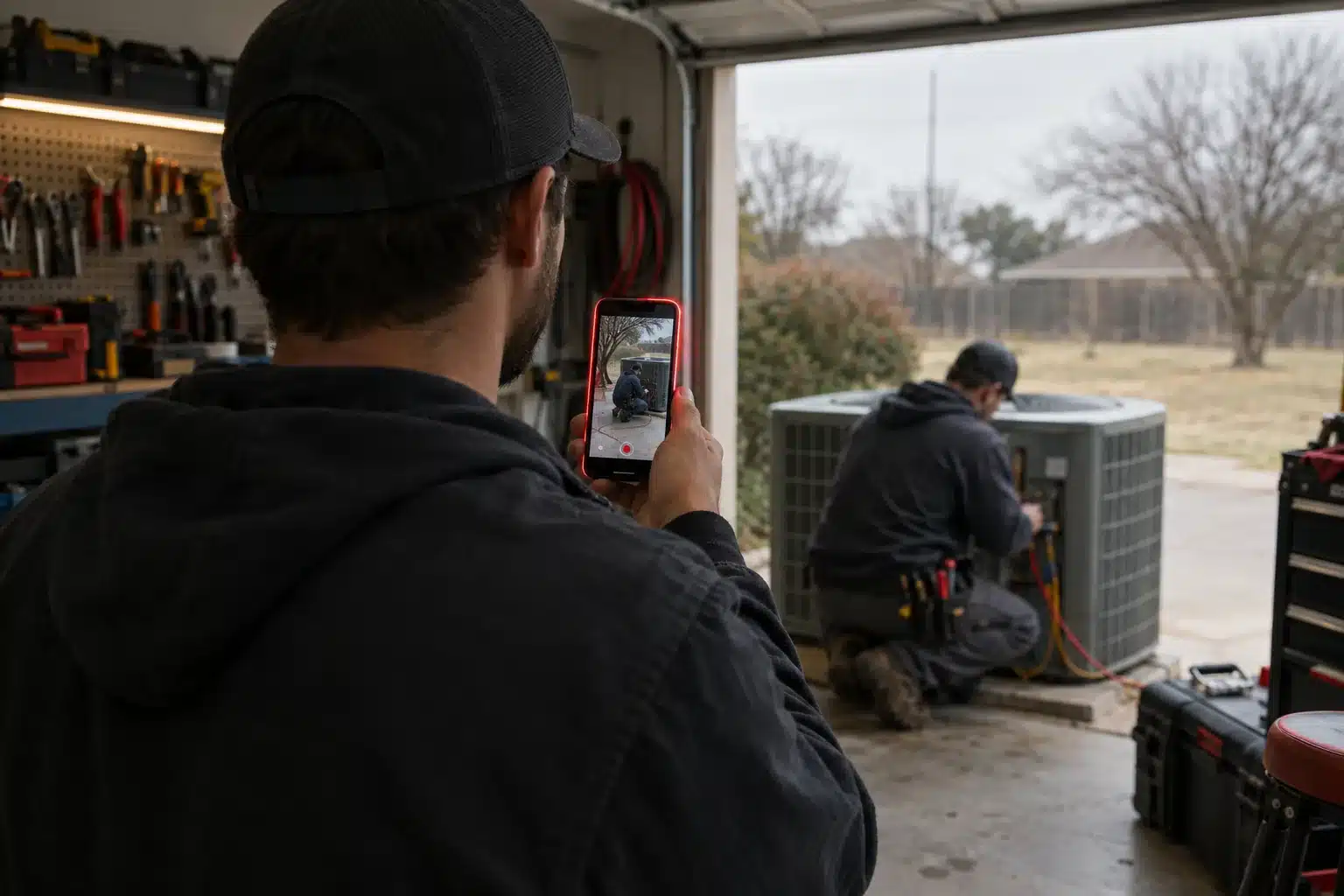
    Technician seen from behind filming a coworker at an AC unit with a phone held upright in a garage workshop.

    How to shoot it on your phone

    “Don’t we need real equipment?” comes up in almost every conversation we have about video. For weekly posts, no. A phone is enough if you get a few basics right:

    • Hold the phone upright. Short-form is vertical (9:16), and a sideways clip gets shrunk into a thin strip with black bars above and below.
    • Face the light. A window or an open garage door in front of you beats overhead fluorescents every time.
    • Get close to whoever’s talking, or clip an inexpensive wireless mic to your shirt. Bad audio loses people faster than shaky footage.
    • Trim the first two seconds of “is it recording?”
    • Turn on captions. Plenty of people watch with the sound off, and most apps will generate captions for you.

    Fifteen minutes of shooting and ten minutes of trimming in the app gets you a post. That’s the whole workflow.

    Save professional production for the pieces that have to carry weight for years: the homepage video, the customer story you’ll run as an ad, the walkthrough of your signature service. That’s where professional videography earns its cost. For the weekly stuff, your phone is fine, and nobody will think less of you for it.

    Film once, post in four places

    One vertical clip can go to Instagram Reels, Facebook Reels, YouTube Shorts and TikTok with almost no extra work. Upload the original file to each app. A Reel with another app’s watermark stamped on it looks recycled.

    Put the good ones on your Google Business Profile too. It accepts video, and a clip of real work sitting next to your reviews gives people one more reason to call you instead of the next listing.

    Then watch for a couple of months. Whichever platform actually brings calls or messages gets your best effort. The rest get the same clip and nothing more.

    A posting schedule you can keep

    One video a week, same day every week, beats a burst of ten followed by two months of silence. Tonight, write down ten ideas specific to your business. Most owners get there in about five minutes once they start listing the questions customers ask. That’s ten weeks of posts.

    Our one-hour-a-week social media system shows how video fits in next to everything else you post, and our social media management team can plan and post it if you’d rather not. If a week slips, post the next week. Nobody is keeping score but you.

  • Google Business Profile Optimization in 2026: What Changed

    Google Business Profile Optimization in 2026: What Changed

    Google Business Profile optimization used to be a one-afternoon job. Fill in the fields, upload a logo, move on. The profile does more work in 2026, and Google reads it differently. The old Q&A section is gone, and Google has started answering questions about businesses with AI that draws on your profile and your reviews. A thin profile gets you thin answers.

    For a business in Sherman, Denison or anywhere else in Texoma, the profile is often the first thing a customer sees, before they ever reach your website. Here’s what to get right this year.

    Fill in everything, then check it every quarter

    Most owners stop at name, address and phone. Finish the rest:

    • Your real business name, exactly as it’s on your truck and your sign. Stuffing it with “Best Plumber Sherman TX” breaks Google’s guidelines and can get the profile suspended.
    • Service areas by city. List the towns you actually drive to, not “North Texas.” Showing up in a second town takes more than a checkbox, though, which is why you might rank in Sherman but not Denison.
    • Hours, plus special hours for holidays and weather closures.
    • A phone number a person answers, matching the one on your website.
    • A website link to the right page. If you have a page for each service or city, use it.
    • The description. You get 750 characters. Say what you do, where and for whom, in plain words.
    • Services and attributes. Add each service with a short description, and check every attribute that’s true.

    Then put a reminder on your calendar to look at it every three months. Hours drift. Numbers change. The public can suggest edits to your listing, and now and then a wrong one sticks.

    Choose categories like a customer would

    Your primary category matters more than anything else you pick. Use the plainest term Google offers for what you are: “Plumber,” “Roofing contractor,” “Hair salon.” Picking something broad to seem bigger usually backfires.

    Secondary categories are for your other real lines of work. A lawn care company that also does landscaping and irrigation should add both. If you’d turn the job down, leave the category off.

    One quick check: search your main service in Google Maps and open the top three results. The primary category shows under each business name, and you might spot a better fit than the one you chose.

    Photos and video on a schedule

    Photos are some of the most-viewed parts of a profile, and a stale set makes people wonder if you’re still open. Upload real work every week or two. The job, the crew, the truck, and the building from the street so people recognize it when they pull in.

    Short video works here too. A 20-second clip of a finished job next to your reviews says more than a logo. Phone footage is fine. Blurry isn’t, so shoot three and keep the best one.

    Hand holding a phone at a dental office front desk with five small red stars of light hovering above it.

    Reviews carry more weight every year

    BrightLocal’s 2026 Local Consumer Review Survey found that 97% of consumers read reviews for local businesses and 74% look for reviews from the last three months. Recency counts. Fifty reviews from 2021 don’t tell anyone how you’re doing now.

    Ask every happy customer, in person or by text, using the direct review link from your profile. Don’t pay for reviews or trade discounts for them. Google’s policies prohibit it, and the reviews can be removed.

    Then answer every one. The same survey found 89% of consumers expect owners to respond, and half said they’re unlikely to use a business that replies with generic templates. Use the customer’s name and mention the job. For a bad review, stay calm, keep it short and offer to talk by phone.

    It adds up faster than owners expect. Cole’s Pest Control in Bossier City, a client of ours, went from 32 to 45 Google reviews between late May and July 2026, every one of them five stars. We wrote more about building that habit in why online reviews are the new word of mouth.

    Google Business Profile optimization for AI answers

    This is the part that changed. Google began phasing out the public Q&A section on Business Profiles in 2025 and is moving toward AI answers inside Maps, built from your profile details, posts, photos and what reviewers wrote.

    So the questions you used to answer in Q&A need a new home. Put them in your service descriptions, your business description, your posts and an FAQ page on your website. If someone asks Maps whether you work Saturdays or come out to Whitesboro, the answer has to exist somewhere Google can read it.

    Reviews feed this too. “They fixed our tankless water heater in Denison the same afternoon” tells the AI, and the next customer, what you did, where and how fast. You can’t write reviews for people. You can ask them to mention what the job was.

    The same groundwork helps ChatGPT, Gemini and Google’s AI Overviews describe you correctly: the same name, address and phone everywhere, a clear list of services and towns, and a website that says the same thing your profile does. Our AI search optimization work starts there.

    Posts are useful, not magic

    Don’t expect profile posts to move your rankings much by themselves. They do give people something current to look at, and they give Google more words about what you do. A seasonal offer, a new service, a photo of a job finished this week. Once a week is plenty. Once a month beats nothing.

    Read your performance numbers monthly

    The Performance section in your profile dashboard shows calls, website clicks, direction requests and the searches people used to find you. Look at it once a month, like a diagnosis.

    Lots of views and few calls usually means your photos, rating or reviews aren’t convincing people. Lots of website clicks and few calls points at the website. And if nearly every search term is your business name, you’re only being found by people who already know you.

    That last one is common, and fixable. Our Google Business Profile management covers the weekly work: photos, posts, review replies and the monthly numbers.

  • How to Compete With Franchises as a Local Texoma Business

    How to Compete With Franchises as a Local Texoma Business

    Drive US-75 through Sherman and count the franchise trucks. HVAC, lawn care, pest control, plumbing, water damage. They have national ad budgets and a name people know from TV. If you run a local business and have to compete with franchises for the same jobs, it can feel like the deck is stacked.

    You won’t outspend them, and you don’t need to. Most of what decides who gets a service call in Texoma happens in places where a big budget doesn’t buy much: the map results on Google, the reviews, who answers the phone, and whether the customer feels like they know you.

    How a local business can compete with franchises on Google Maps

    Google says its local results come down to relevance, distance and prominence, and it spells that out in its own help documentation. A franchise can buy the ads that sit above the map. It can’t buy being two miles closer to the person searching, and it can’t buy a better-kept profile than yours if you put in the work.

    Franchise location pages often read like a template with the city name swapped in. That’s your opening. Fill out every field of your Google Business Profile. Name the towns you serve: Sherman, Denison, Pottsboro, Gainesville, Bonham, McKinney. Post photos of real jobs. Build a page on your website for each city you want work from, with details a template can’t fake, like the neighborhoods you work in and the problems you see there.

    If that sounds like a lot, our Google Business Profile management handles the weekly part.

    Out-review them

    Reviews are where a well-run local company can pull ahead fastest. A franchise location’s reviews depend on whoever manages that location and how long the techs stick around. Yours depend on you.

    Ask every satisfied customer for a Google review, and text them the direct link the same day. Reply to each one yourself and mention the job. BrightLocal’s 2026 consumer survey found half of consumers are unlikely to use a business that answers reviews with generic templates. An owner writing back in their own words stands out next to a reply that reads like it came from a corporate office.

    Pest control is crowded with national brands, which makes it a good test. Cole’s Pest Control, a Bossier City client of ours, went from 32 to 45 Google reviews between late May and July 2026, all of them five stars. More on building that habit in our post on online reviews.

    Phone ringing on a workbench in an auto repair bay, with a mechanic in the background turning toward it.

    Answer the phone first

    Call a franchise at 7 p.m. and you’ll often get a call center or a phone tree. Call a local owner and you might get the owner. That’s only an advantage if somebody actually picks up, or calls back fast.

    Homeowners with a dead AC in July don’t sit and wait on one callback. They keep dialing until someone answers. We went into this in the five-minute rule. If you’re under a house when the phone rings, set up an automatic text-back so every missed call gets a reply in minutes, and call back before you start the next job.

    Move faster than corporate can

    Franchise marketing goes through approvals. Yours goes through you. When hail rolls across Grayson County, a local roofer can have a post up, a profile update out and the phones answered by lunch. When a new subdivision fills up outside town, you can be hanging door hangers there that week.

    Local sponsorships work the same way. The Little League banner, the booth at a Denison festival, the chamber lunch. Franchises can do these too. But people remember the owner who showed up in person and shook hands.

    Specialize where they generalize

    Franchises sell a standard menu because that’s how the model works. You can pick the work you’re best at and own it. Maybe it’s older homes on pier-and-beam foundations, or lake houses around Pottsboro, or restaurant kitchens. Maybe it’s a guarantee a corporate legal team would never sign off on.

    Whatever it is, say it plainly on your website, your profile and your truck. “Family owned” is nice, and everybody says it. “We only install tankless water heaters, and we can be there tomorrow” gives someone an actual reason to pick you.

    Look as sharp as the franchise does

    This is the one place franchises have a real edge. They show up polished: good photos, a clean website that works on a phone, a logo that looks the same on the truck and the invoice. Customers notice, even if they never say so. A local company with a great reputation and a website from 2014 can lose calls to a franchise with a mediocre reputation and a nice-looking site.

    Closing that gap costs less than it used to. Real photos of your crew and your work do more than stock images ever will. And a fast, mobile-friendly site doesn’t have to be a big check up front. Our Website Lease is $500 a month with nothing upfront.

  • Google Business Profile Optimization: A Local Owner’s Guide

    Google Business Profile Optimization: A Local Owner’s Guide

    For most service businesses in Texoma, a new customer’s first look at you happens on Google, and it isn’t your website. It’s your Google Business Profile: the listing with your name, stars, photos, hours and a call button that shows up in Maps and in the map pack at the top of local searches. Google Business Profile optimization means making that listing complete, accurate and active. It costs nothing but time.

    Plenty of owners set their profile up years ago and haven’t logged in since. That’s the opening. Here’s what we work through with a new client’s profile, roughly in this order.

    Why the profile can matter more than your homepage

    Search “plumber near me” from a driveway in Denison and Google shows a map with three businesses before any regular results. Those three get most of the attention, and a lot of people call straight from the listing without ever opening a website.

    The profile also feeds Google’s AI answers now. When someone asks Google a question about a local business, the answer draws on the profile details, the reviews and the website. A thin profile gives it less to say about you. We cover that side in our post on getting found in AI search.

    Google Business Profile optimization starts with the basics

    Start with the fields people get wrong most often.

    • Use your real business name, exactly as it’s painted on the truck. Tacking “Best AC Repair Sherman” onto it breaks Google’s guidelines and can get the listing suspended.
    • The primary category carries the most weight of anything on the profile. Pick the one that matches the work you most want, such as “HVAC contractor” or “Roofing contractor,” over a vague umbrella.
    • Add secondary categories only where they honestly apply.
    • If you go to your customers, set a service area with the towns you actually cover and hide your home address.
    • Regular hours, plus holiday and seasonal hours, so nobody drives up to a locked door.
    • Your services, each with a sentence or two of description.
    • The business description. You get 750 characters. Say what you do, who you do it for, where, and how long you’ve been at it.

    Then check that the phone number and address match your website character for character. Mismatches confuse Google and customers alike.

    Gloved hand holding a phone up to photograph a freshly striped lawn in morning light

    Photos from real jobs

    Customers can spot stock photos, and they scroll right past them. Upload pictures from actual work: the finished deck, the new water heater, your crew, your trucks, a before-and-after of a cleaned-up yard. Add a few every month so the newest photo on the profile isn’t from 2021.

    A phone camera is fine. Good daylight and a clean shot matter more than the equipment.

    A review routine you’ll actually keep

    Reviews move rankings and they move people. The trouble is that most owners ask when they remember, which means hardly ever.

    Make it part of finishing the job. When the work is done and the customer is happy, text them your direct review link that same day (the profile’s “Ask for reviews” button gives you the link). A short text sent while they’re still pleased gets far more responses than an email a week later.

    It adds up faster than people expect. Cole’s Pest Control, a client of ours in Bossier City, went from 32 Google reviews in late May 2026 to 45 by July, every one of them five stars. Next to competitors, that’s a listing that looks busy and trusted.

    Two things to avoid. Don’t offer discounts or freebies in exchange for reviews, and don’t ask only the customers you’re sure loved you. Google’s policies prohibit both.

    Reply to every review. Thank the good ones and mention the job. For the bad ones, stay calm, keep it short and offer to sort it out by phone. Future customers read those replies closely. There’s more on this in why online reviews are the new word of mouth.

    Post updates now and then

    You can publish short updates straight to the profile, a bit like a social post with a photo and a button. A seasonal offer, a finished project, a new town you serve. Every couple of weeks is plenty. Posts won’t carry your rankings by themselves, but a profile with recent activity looks open for business and an empty one looks abandoned.

    Two features that are gone

    Older advice still tells you to turn on messaging and fill out your Q&A section. Neither exists anymore. Google shut off Business Profile chat on July 31, 2024, and it retired the questions-and-answers section in late 2025, replacing it with AI-generated answers built from your profile, website and reviews.

    So the answers to common questions (“Do you take emergency calls?” “Do you come out to Whitesboro?”) need to live in your profile fields, your services list and your website, where Google can find them. And the phone number on the profile has to get answered. Google dropped call history at the same time it dropped chat, which took away the easiest way to see how many calls the profile was sending you.

    Check the numbers once a month

    The Performance section of your profile shows how many people saw it, which searches they used, and how many called, clicked through to your site or asked for directions. Spend most of your time on the search terms. If people find you for “AC repair” but never for “furnace installation,” and furnaces are what you want to sell, your categories, services and description need work.

    For a clearer picture of who called and where they came from, that’s what our analytics reporting is built for. And if you’d rather hand the profile off entirely, we do Google Business Profile management for businesses across Texoma.

  • Email Marketing for Service Businesses: Lists to Booked Jobs

    Email Marketing for Service Businesses: Lists to Booked Jobs

    Bring up email marketing with a room of Texoma contractors and you’ll mostly get shrugs. Most service businesses have a customer list sitting in their invoicing software and have never sent it a single email. For a lot of them, that list is the cheapest source of booked jobs they own.

    Email marketing for service businesses comes down to timing. You’re reminding people who already paid you once that it’s time to call again. You don’t need a big list, a designer or a clever strategy to start.

    Why email marketing fits service businesses

    Social posts reach whoever the algorithm decides to show them to. Search brings in people who’ve never heard of you. Email goes to people who already know your name, already have your number, and already trusted you with their house once.

    A lot of service work also runs on a calendar. AC tune-ups before the first real heat. Furnace checks in the fall. Gutters after the leaves drop. Quarterly pest treatments. Septic pumping every few years. Customers don’t think about any of it until something breaks, and when it breaks, they search and call whoever answers first. A short email at the right moment books the job before it turns into an emergency, and before a competitor gets the call.

    Building the list

    You already have the start of one. Pull every email address from your invoices, estimates and scheduling records. Those are your best subscribers, because they’ve paid you before.

    From there, collect an email on every job. Add the field to your estimate form and your website contact form, and ask at checkout. If you want a signup form on the site, offer something people would actually want: a seasonal maintenance checklist, first pick of spring appointments, a small discount on the next visit.

    A list of 150 local homeowners who use your kind of service is worth more than a few thousand strangers. Which is why you should never buy a list. Purchased addresses don’t know who you are, they don’t open, and sending to them damages your ability to reach the inbox of the people who do want to hear from you.

    The federal CAN-SPAM Act covers every commercial email you send, no matter how small your business is. The short version from the FTC’s compliance guide: include a valid physical mailing address, give people a clear way to unsubscribe, and honor opt-outs within 10 business days. Any decent email platform takes care of the first two for you.

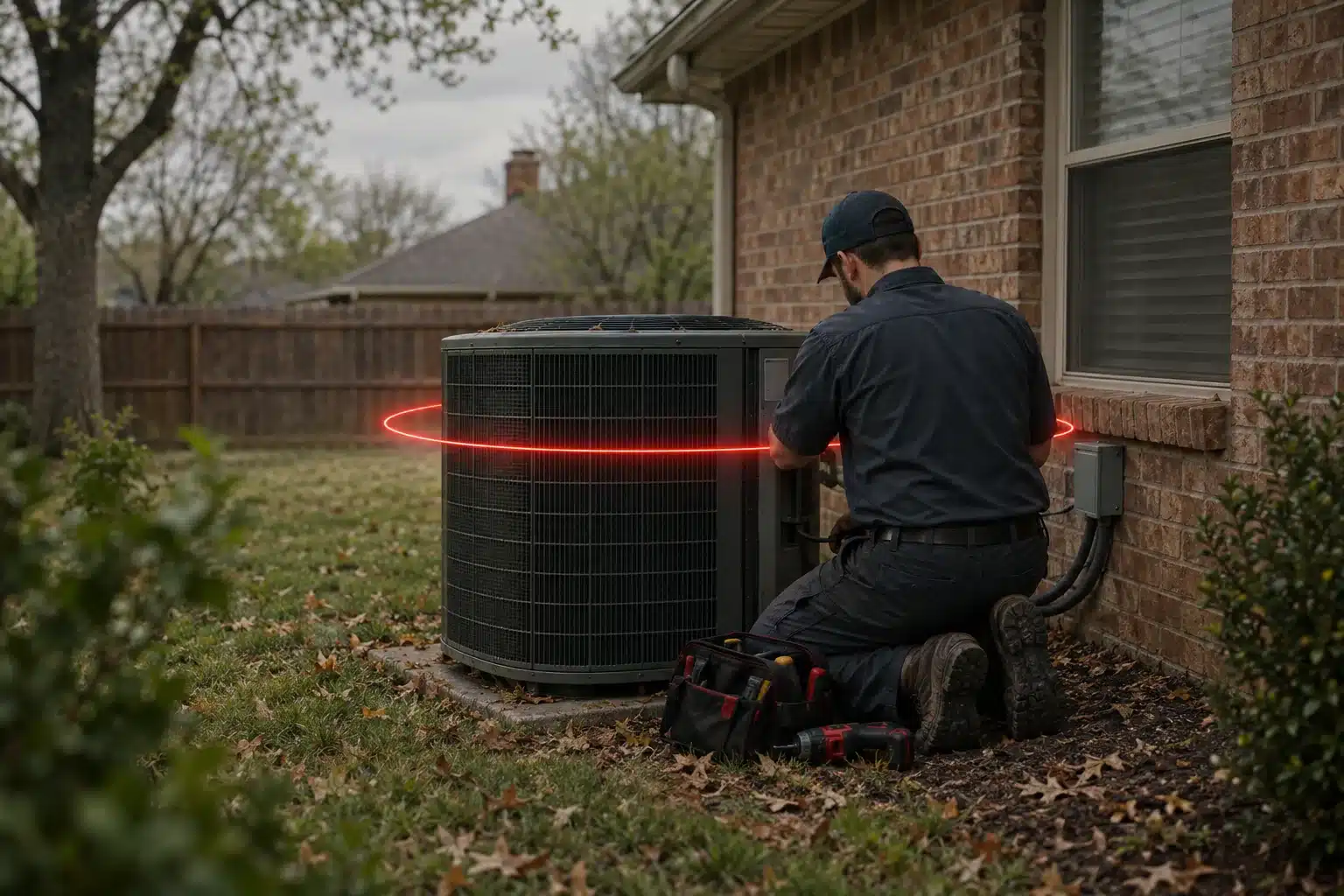
    HVAC technician kneeling beside an outdoor air conditioner unit next to a brick house on an overcast day

    What to send and how often

    Once or twice a month suits most local service businesses. Less than that and people forget you exist. More than that and you’d better have something worth saying.

    The emails that book work are almost boring:

    • A seasonal reminder tied to a real service. “Spring AC checks are booking now. Reply with a day that works.”
    • One useful tip, like how to tell a water heater is near the end of its life
    • An offer when you have gaps in the schedule to fill
    • A finished project with two or three photos
    • A heads-up when something changes, such as a new service or a new town you cover

    One topic per email. Short enough to read on a phone in a checkout line. One next step: call, book online, or hit reply.

    Then set up a couple of automated emails that run on their own. A thank-you after someone’s first job, with your review link. A reminder six or twelve months later when their recurring service comes due. Build those once and they’ll keep landing right when the customer needs them.

    Writing emails people open

    The subject line decides whether anything else gets read. “March Newsletter” gets ignored. “Is your AC ready for July?” gets opened by everyone who owns an AC. Be specific and plain, and skip the all caps and exclamation points.

    Write the way you’d talk to a customer at their kitchen table. Sign it with a real name, and if you’re the owner, sign it yourself. People reply to a person. They don’t reply to “The Team.”

    Measuring what matters

    Every email platform will show you an open rate. Don’t lean on it. Apple’s Mail Privacy Protection, introduced in 2021, loads messages automatically for many iPhone users, so an “open” gets counted whether anyone read the email or not. Clicks and replies are more honest signals.

    The number that matters most isn’t on the email dashboard at all. It’s booked jobs. When a reminder goes out, watch the phone and the calendar over the next week. Ask callers what prompted the call and jot it down, even in a spreadsheet. A few months of that tells you which emails bring in work and which just fill inboxes.

    If you’re starting from zero, our beginner’s guide to email marketing for local businesses walks through picking a platform and sending the first one. If you’d rather someone else write and run it, that’s what our email marketing service is for.

  • Spring Marketing Checklist for Texoma Service Businesses

    Spring Marketing Checklist for Texoma Service Businesses

    Spring is when a lot of Texoma service businesses make their year. The first warm week fills the AC schedule, lawns wake up, and every hailstorm that rolls through sends people looking for a roofer. This spring marketing checklist for Texoma service businesses covers what to fix before the phone gets busy, because once it does, nobody has time to touch the website.

    Most of it takes an afternoon. A couple of items take longer, and those are the ones to start now.

    Start with your Google Business Profile

    If you only do one thing on this list, make it this. Your Google Business Profile is what shows up in Maps and in the map pack at the top of local searches, and for many people it’s the only thing they look at before they call.

    • Update your hours if you run longer days in season, and set holiday hours for Easter and Memorial Day.
    • Upload fresh photos from recent jobs. Winter work counts.
    • Make sure the services list matches what you’re selling this year.
    • Post an update about spring availability or a seasonal offer.
    • Call the number on the profile yourself and see who picks up.

    If you’ve never claimed your profile, stop here and do that first. Our Google Business Profile optimization guide covers the rest.

    Look at your website on your phone

    Pull up your own site on your phone, on cellular data, standing in your driveway. That’s how most homeowners will see it. Can you find the phone number in two seconds? Does tapping it dial? Do pages load before you lose patience?

    Then read it like a customer would. Is last winter’s special still on the homepage? Is the service area right? Are there services listed that you stopped offering, or new ones missing? Small things like that make a business look like it’s asleep.

    If the site needs more than a spring cleaning, you don’t have to eat the whole cost of a rebuild at once. Our website lease is $500 a month with nothing upfront.

    Plan a little spring content

    You don’t need a blog post every week. You need a few pieces that answer what customers ask you every spring. An HVAC company might explain what a tune-up actually includes. A roofer might write about what to do the day after hail. A lawn company might cover when to put down pre-emergent in North Texas.

    Those pages help your local SEO for the searches people make in season, and they give you something to share on social media and in an email to past customers. One solid piece a month beats four thin ones.

    Roofer inspecting shingles on a house roof as storm clouds clear, with a row of five small red lights floating above the ridge

    Get reviews moving before the rush

    Reviews are one of the few things customers check nearly every time. Two things matter: how many you have and how recent they are. A profile whose newest review is from last summer looks quieter than the business really is.

    Reply to any reviews you’ve left hanging, good or bad. Then build a habit: when a job’s done and the customer is happy, text them your review link that same day. Spring and summer are when you’ll have the most happy customers all year, so get the routine in place in March instead of trying to start it in the middle of June.

    Pick one or two social channels

    Update cover photos and pinned posts so they look like spring. Then post about what people need right now: the tune-up, the storm-damage inspection, the first mow of the year. Before-and-after photos from real jobs tend to do well, because people can see the work.

    Don’t try to run five platforms. Pick the one or two where your customers already spend time. For most home service businesses around here, that’s Facebook first.

    Check your local SEO basics

    Google and the AI tools cross-check your business details across the web. Look up your name, address and phone number on your website, your Google profile, Facebook, Bing, Yelp, Apple Maps and any directories you’re listed in. They should match exactly. An old address from a move three years ago that never got fixed on Yelp is a common one.

    Then make sure your site names the towns you actually work in. If you’re based in Sherman but half your jobs are in Denison, Pottsboro and Van Alstyne, say so on your service pages. Google won’t guess.

    Next year, start in the fall

    The part nobody puts on a spring checklist: the biggest spring results usually come from work done months earlier. Sunset View RV Resort on Lake Texoma is a good example. We rebuilt their website and took over their search marketing in October 2025. From January through June 2026, booking revenue was double what it was in the same months of 2025, and the site now pulls more than 40,000 Google impressions a month.

    Spring demand didn’t create that. It paid off work that was already in place. So if you’re reading this with the rush already on you, work the list top to bottom anyway, and put a note on the calendar for October. You can see more of what that looks like on our work page.